What is the RedotPay Physical Card?
The RedotPay physical card is a Visa Platinum debit card that lets you spend your crypto balance in the real world. Unlike the virtual card, which only works online, the physical card can be used for:
- In-store purchases at any Visa-accepting merchant
- ATM withdrawals in local currency
- Contactless (tap-to-pay) payments
- Adding to Apple Pay and Google Pay for mobile payments
If you live in a country with limited access to international banking, or you simply want a backup card for travel, the physical card is worth ordering.
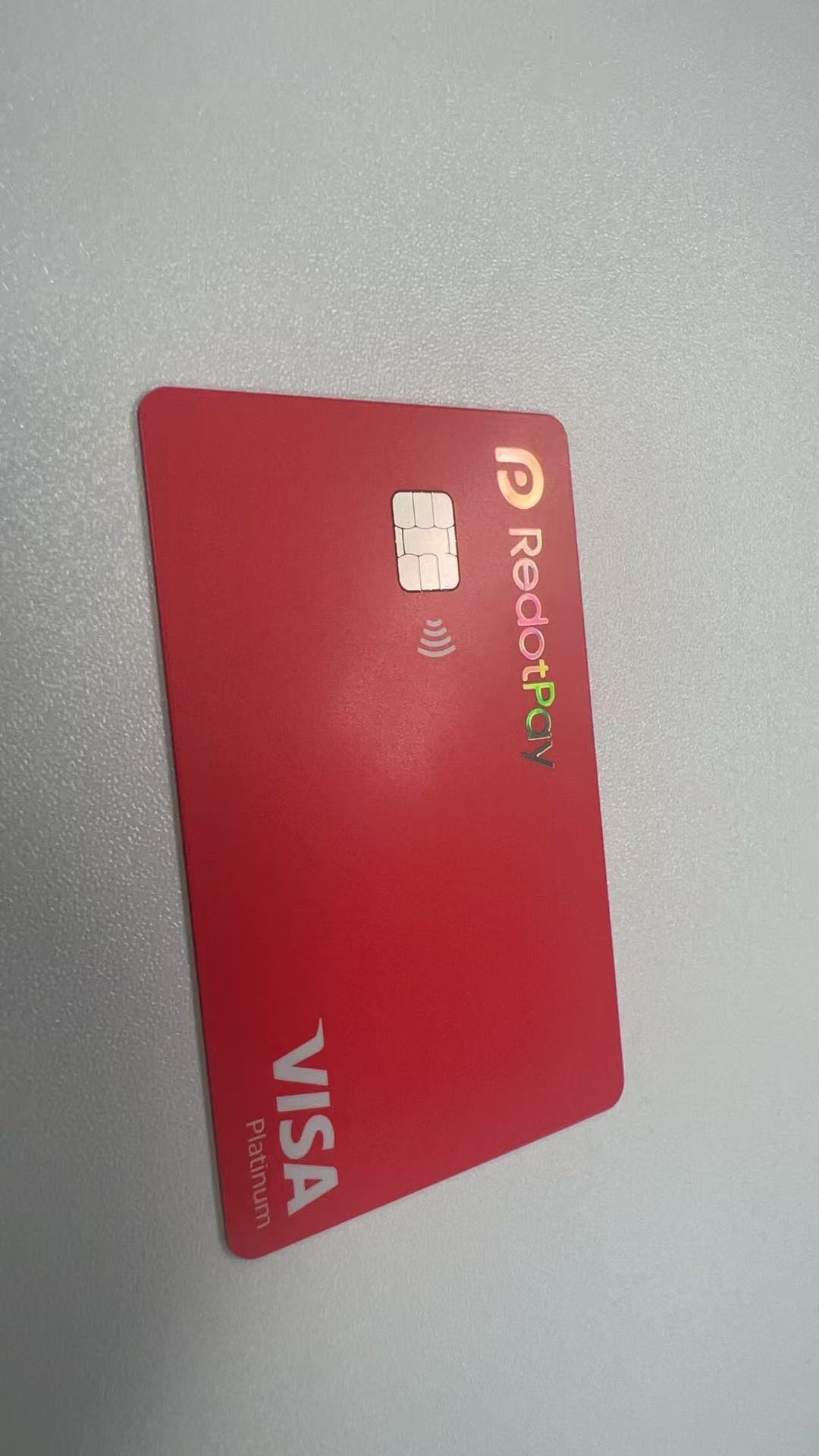
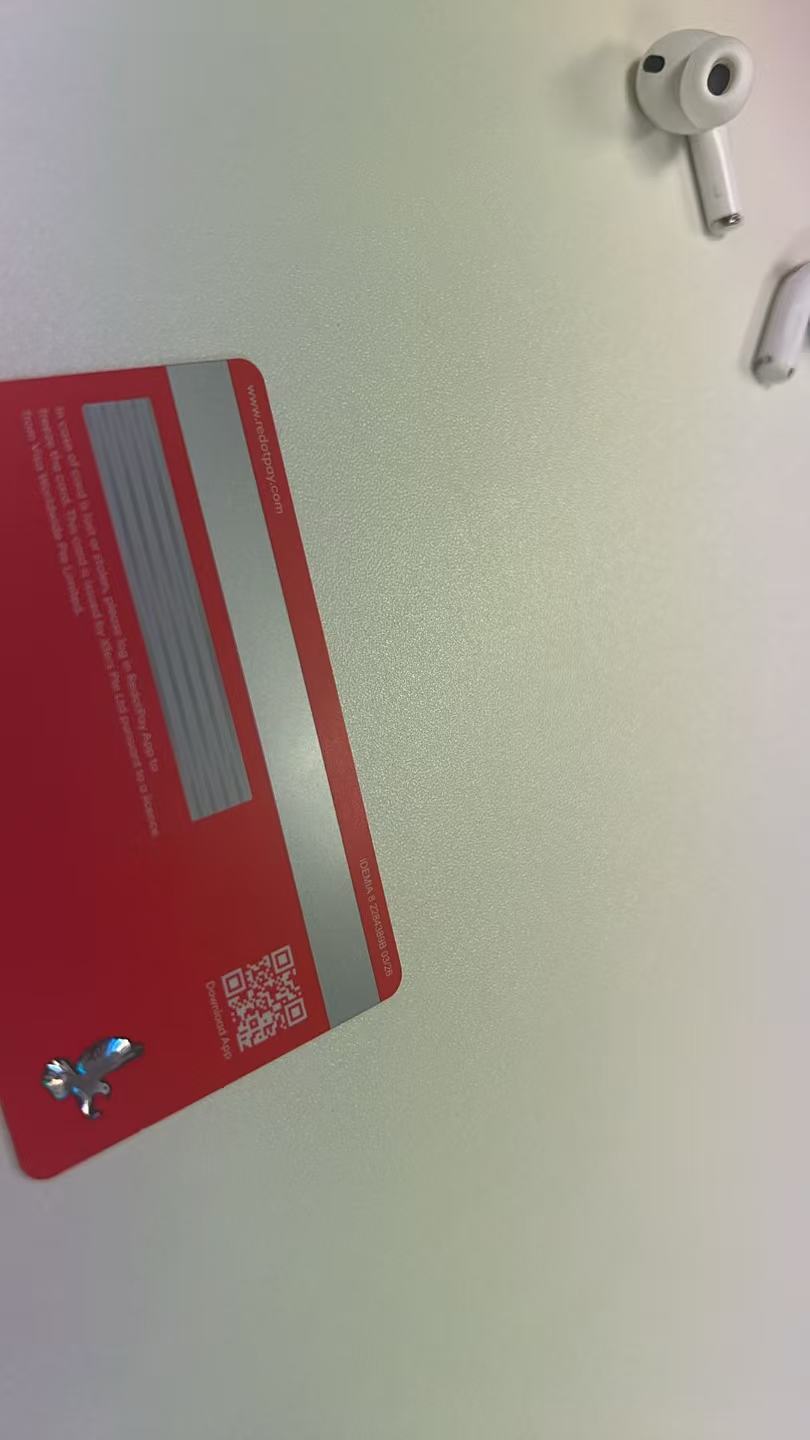
What You Get in the Package
When your RedotPay physical card arrives, the envelope contains everything you need to activate it:
- The RedotPay Visa Platinum card itself
- A welcome letter with your activation code
- Quick-start instructions printed on the envelope
- QR codes to download the RedotPay app
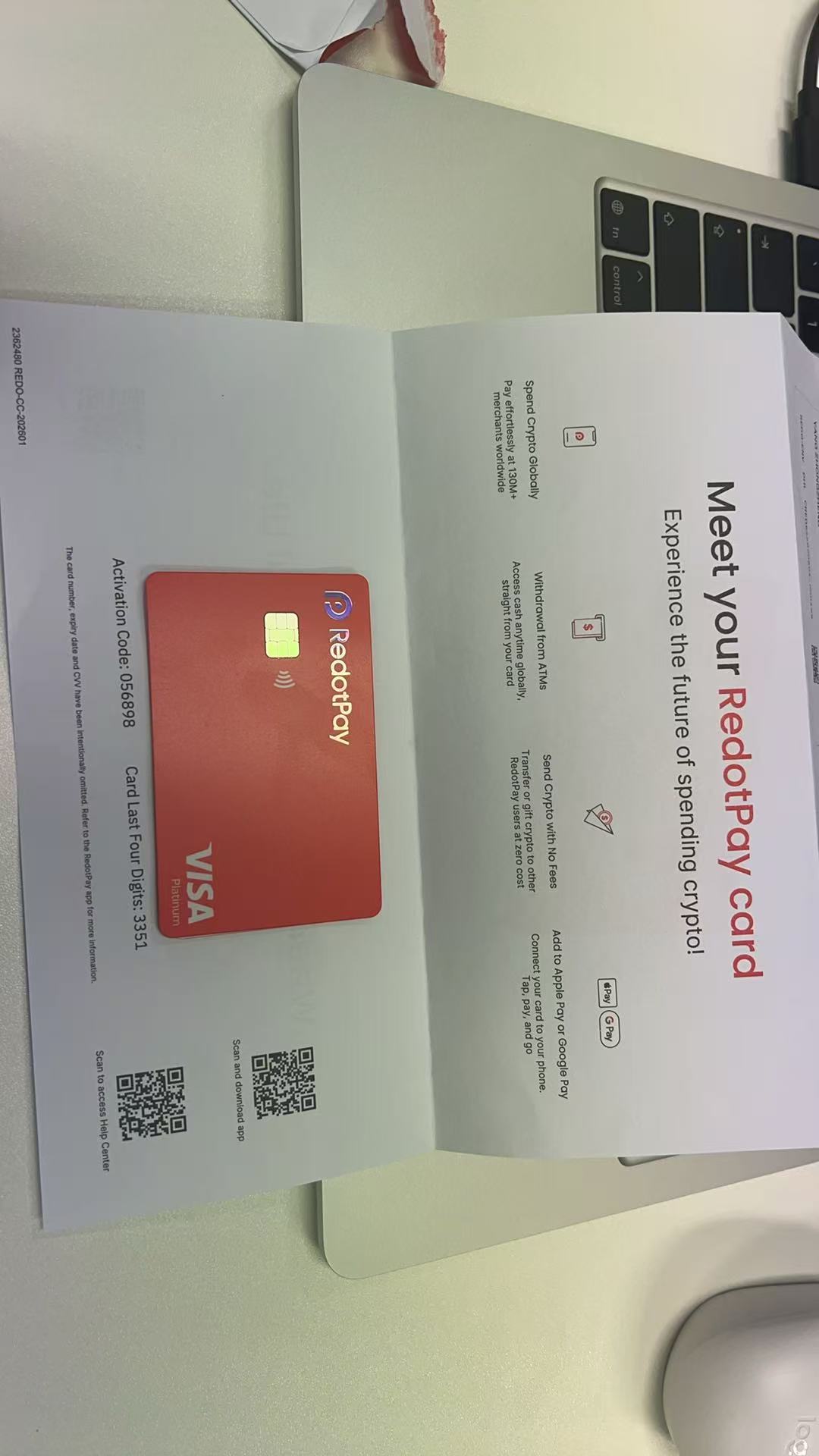
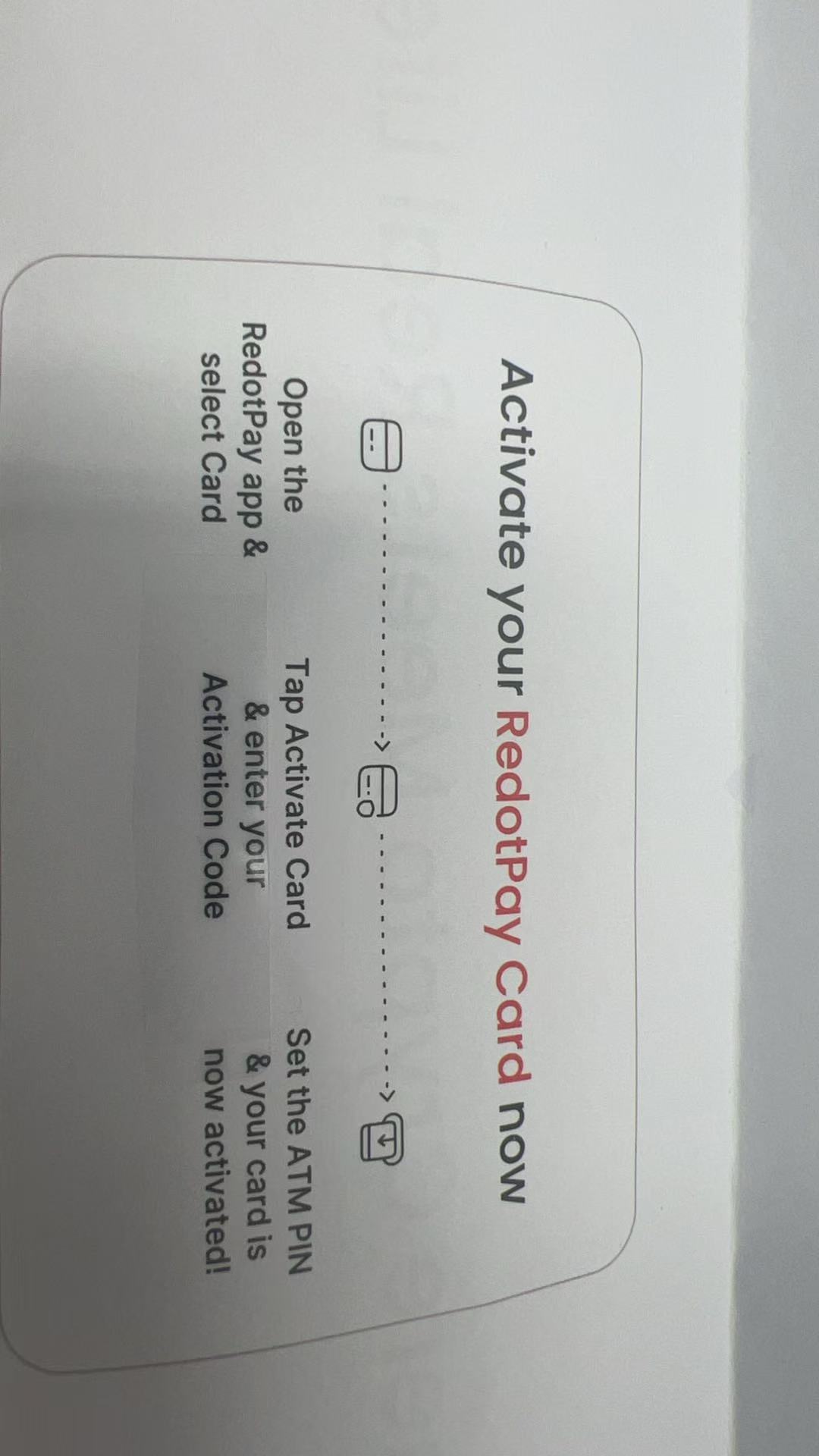
Tip: Do not throw away the envelope until you have successfully activated the card. The activation code is required for the setup process.
How to Order the Physical Card
Before you can activate a physical card, you need to order it inside the RedotPay app:
- Open the RedotPay app and log in to your account.
- Tap the Card tab at the bottom of the screen.
- Tap New or the “+” icon to apply for a new card.
- Choose Physical Card (virtual cards are issued instantly and do not need delivery).
- Pay the card activation fee. Use RDPHY for 20% off the physical card activation fee.
- Confirm your shipping address and submit the order.
Step-by-Step Activation
Once your card arrives, follow these steps to activate it. The whole process takes less than 5 minutes.
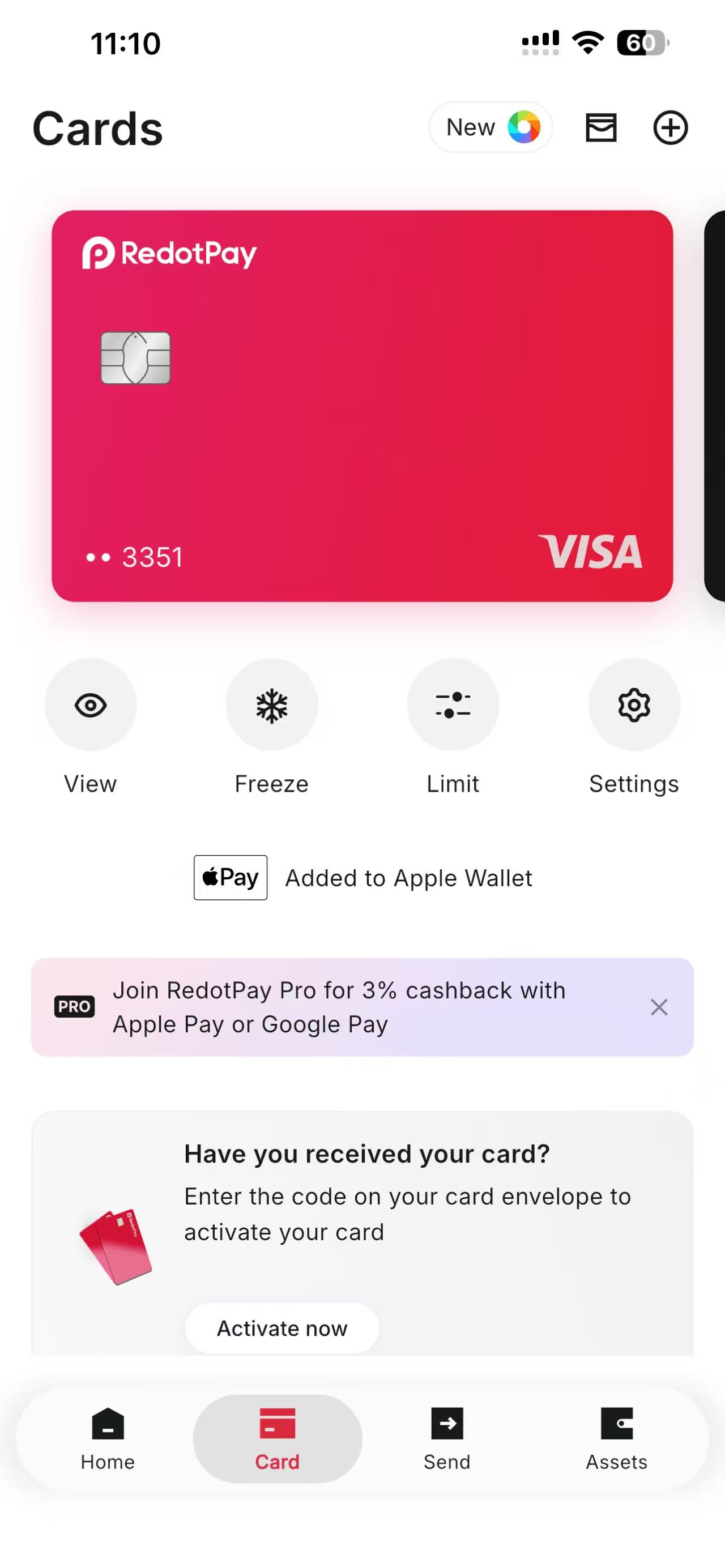
Open the Card Tab
Launch the RedotPay app and tap the Card tab at the bottom. You will see a prompt asking: "Have you received your card?"
Tap Activate now to begin.
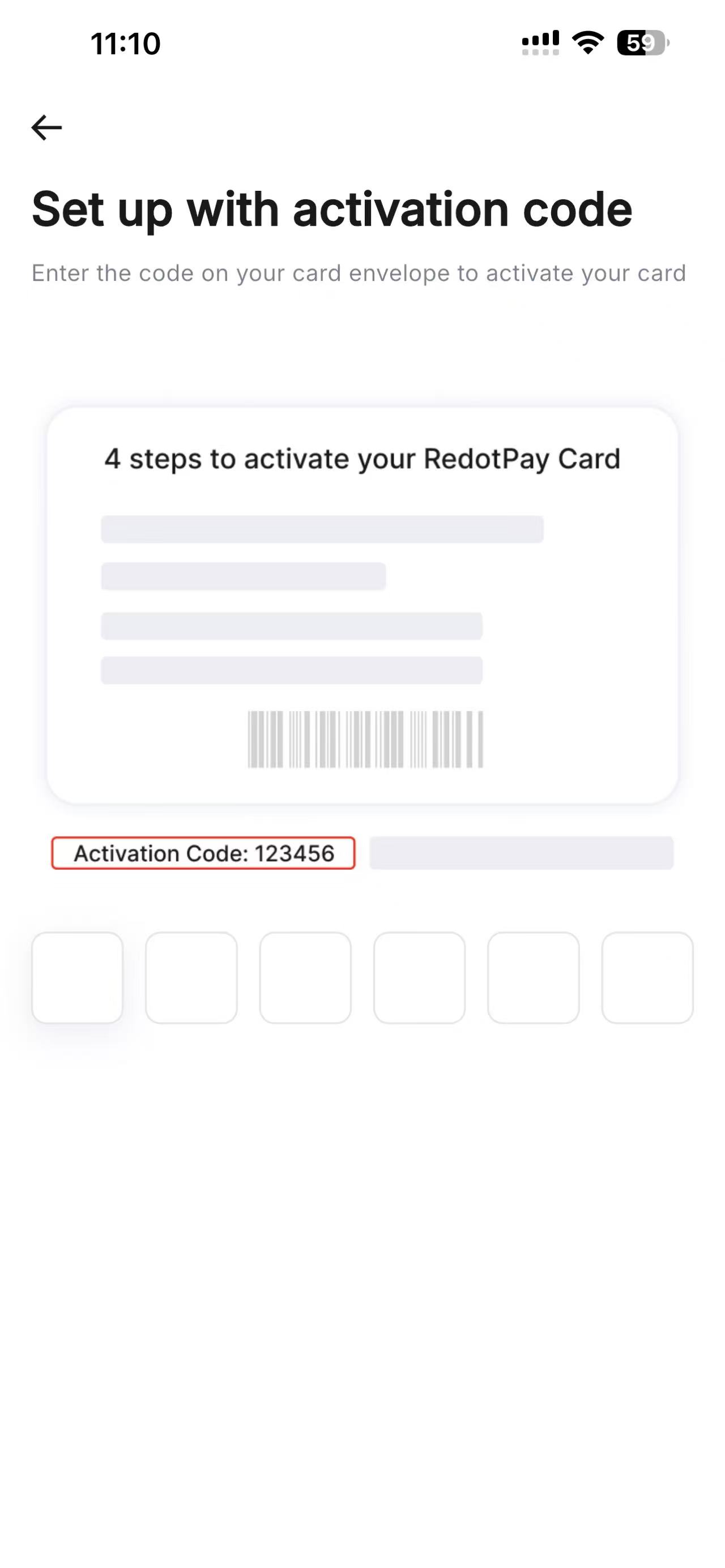
Enter the Activation Code
On the next screen, enter the 6-digit activation code printed on your card envelope or welcome letter.
Make sure you enter the code exactly as shown, it is not the same as your card number.
Set Up Your Passkey
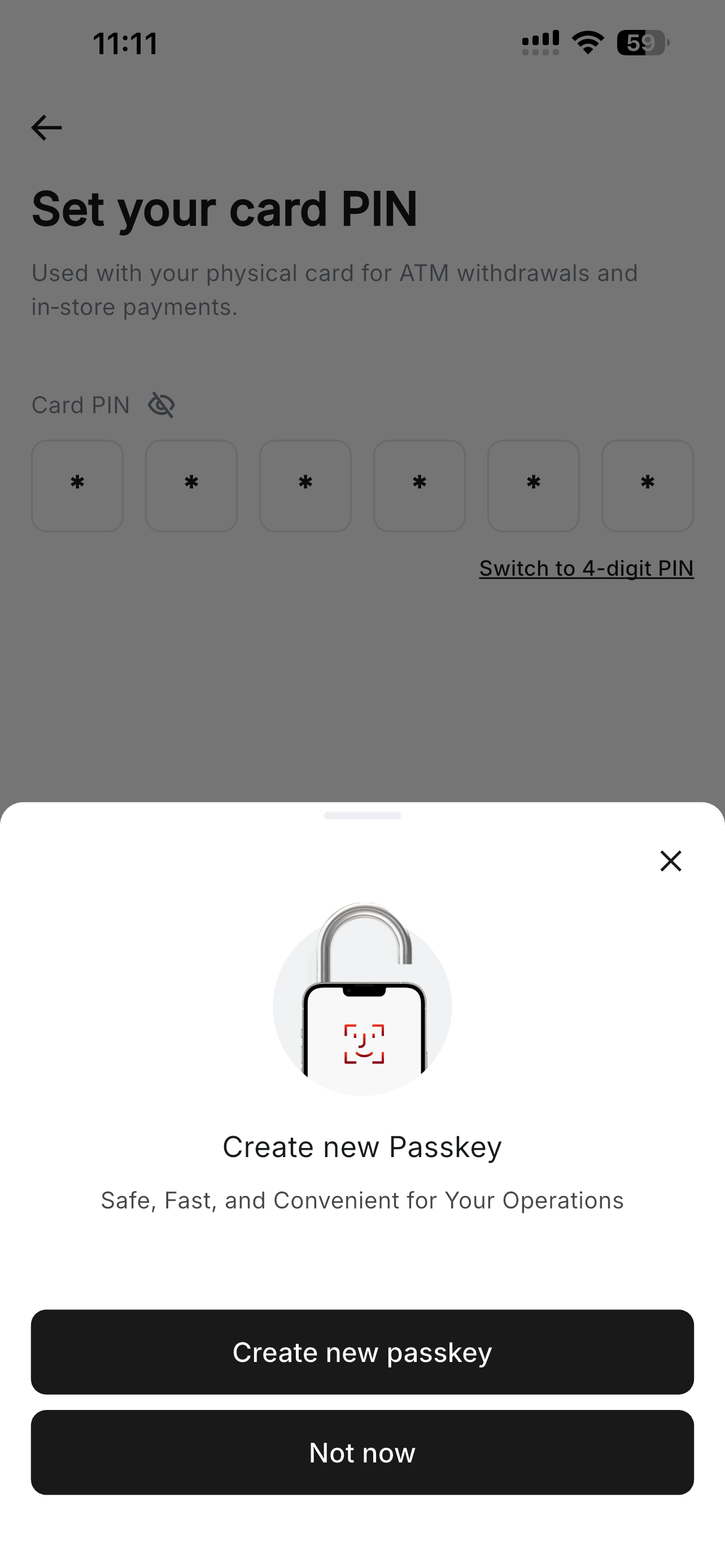
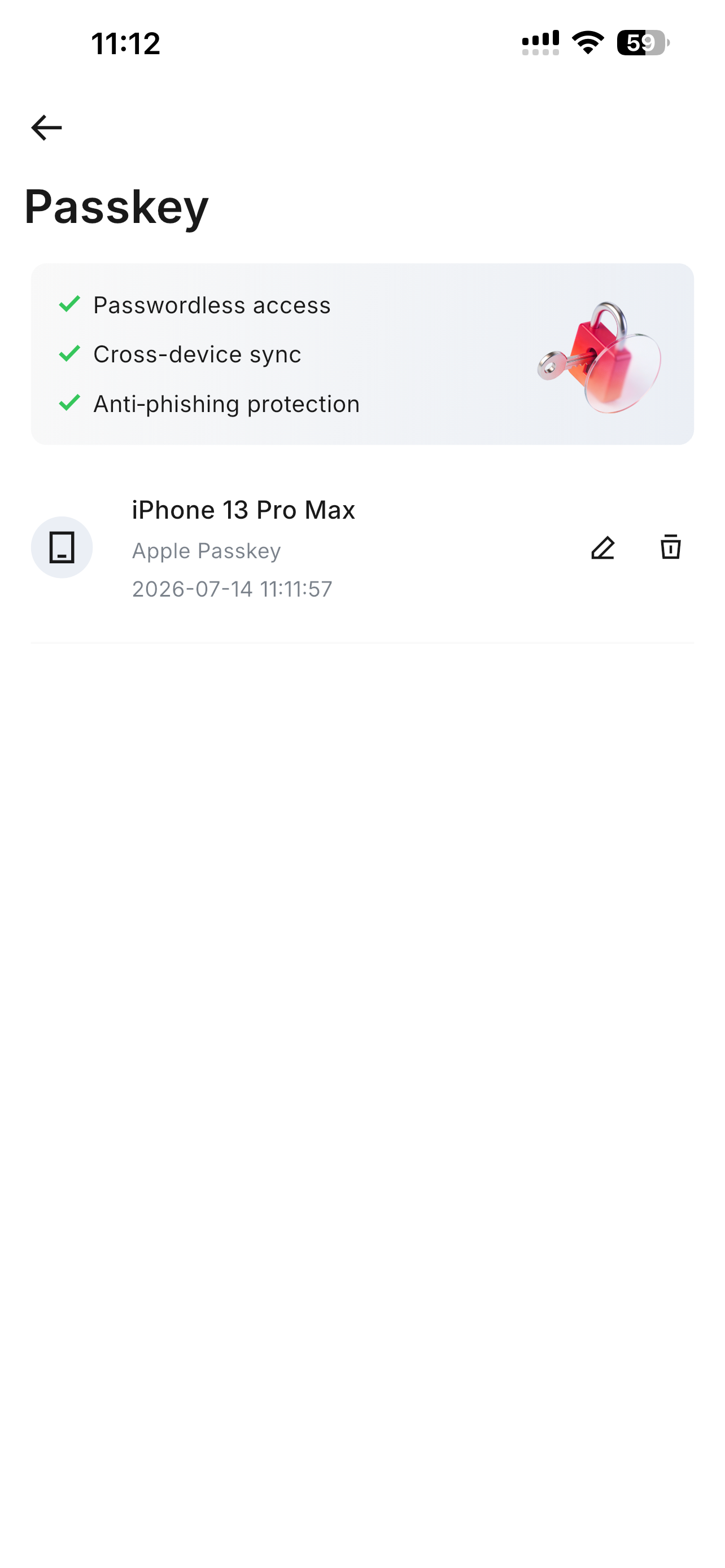
RedotPay uses a Passkey for passwordless, anti-phishing authentication. You will be asked to create a new Passkey using your device's biometrics (Face ID, Touch ID, or fingerprint).
Tap Create new passkey and authenticate with your device. This replaces traditional passwords and is much safer.
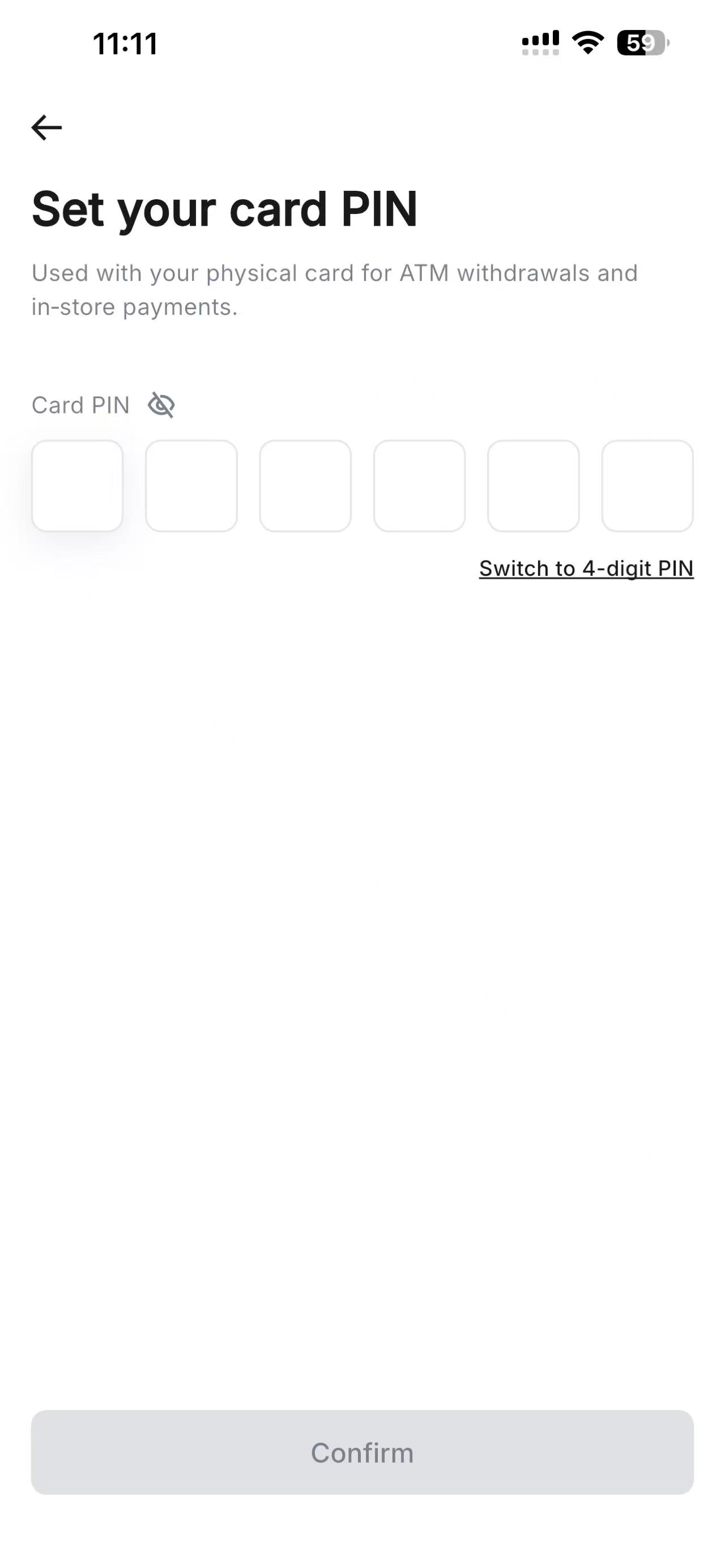
Create Your Card PIN
Next, set a 6-digit PIN for your physical card. You can also switch to a 4-digit PIN if you prefer.
This PIN is required for ATM withdrawals and in-store chip transactions. Do not share it with anyone.
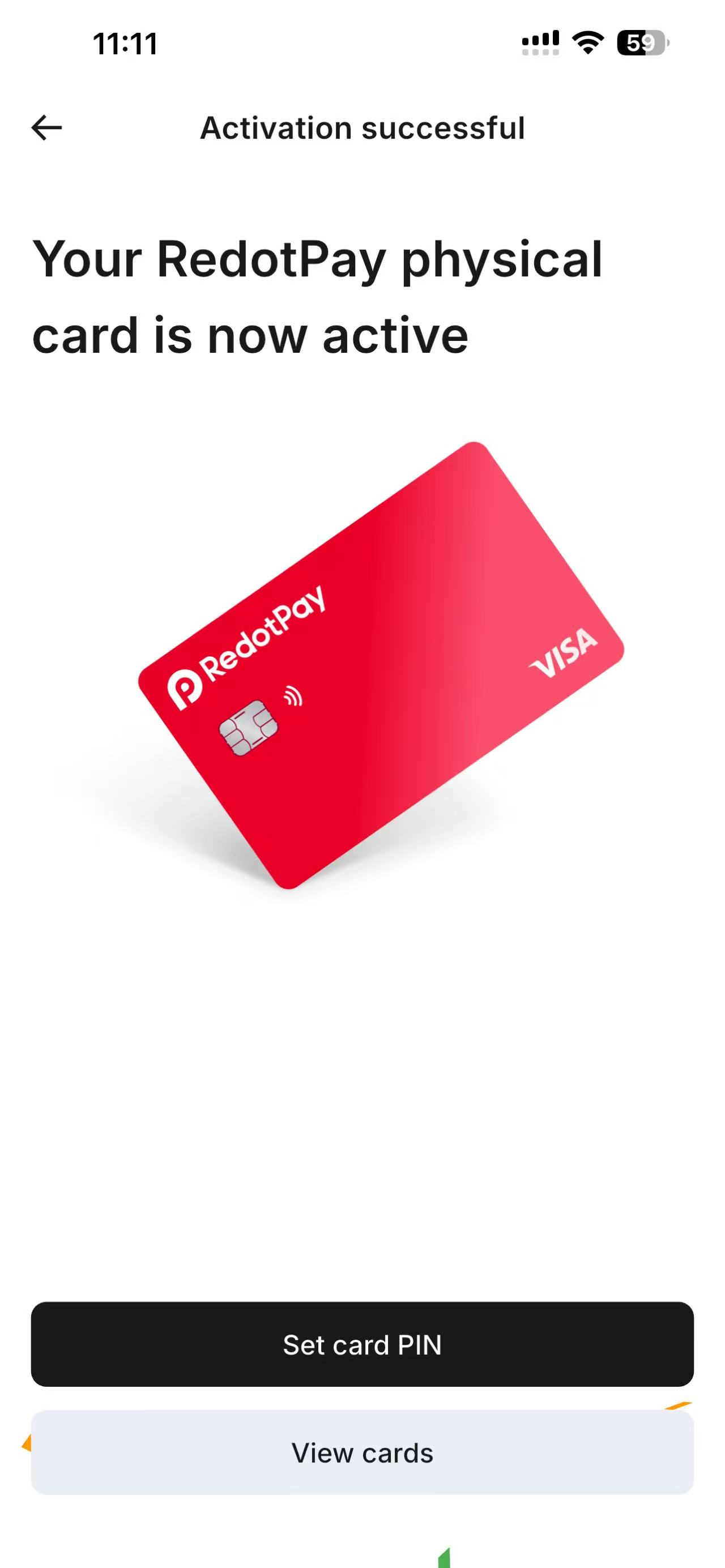
Activation Successful
You will see the confirmation screen: "Your RedotPay physical card is now active."
At this point, you can tap Set card PIN if you want to change it, or View cards to manage your card settings.
Add to Apple Pay or Google Pay
After activation, you can add your card to mobile wallets for contactless payments:
- Go to the Card tab and select your physical card.
- Tap the option to add to Apple Pay or Google Pay.
- Follow the on-screen prompts to verify the card.
- Once added, you can tap your phone at any contactless terminal.
Important Tips
- Keep the envelope safe until activation is complete. You cannot activate the card without the activation code.
- Check your shipping address carefully before ordering. Cards are mailed to the address saved in your profile.
- Activate immediately upon receipt. The card is not usable until activated in the app.
- Don't forget the PIN. If you enter the wrong PIN too many times, your card may be temporarily locked.
- Freeze the card if lost. You can freeze the card instantly from the app to prevent unauthorized use.
Ready to Get Your RedotPay Card?
Open your RedotPay account and order your physical card today.
Sign Up & Order Card20% off card activation:
RDVIR (virtual card)RDPHY (physical card)
Frequently Asked Questions
Delivery typically takes 2-4 weeks depending on your country and local postal service. Some users in major cities receive their card within 7-10 days.
The activation code is printed on the card envelope and the welcome letter inside the package. It is usually a 6-digit number.
No. You must activate the card in the RedotPay app and set your PIN before using it for payments or ATM withdrawals.
Yes. RedotPay physical cards are issued as Visa Platinum cards and work anywhere Visa is accepted, including ATMs, online stores, and in-store POS terminals.
Contact RedotPay support through the app. They can verify your identity and help you activate the card or reissue a new one.
Yes. After activation, you can add your RedotPay physical card to Apple Pay or Google Pay directly from the RedotPay app.